c#-Unity中后处理 脚本 和 Shader
推荐 原创文章目录
前言
我们在上篇文章中提到,在Unity中实现后处理效果,需要同时结合 脚本 和 Shader,我们在这篇文章中编写所需要使用的C#脚本 和 Shader。
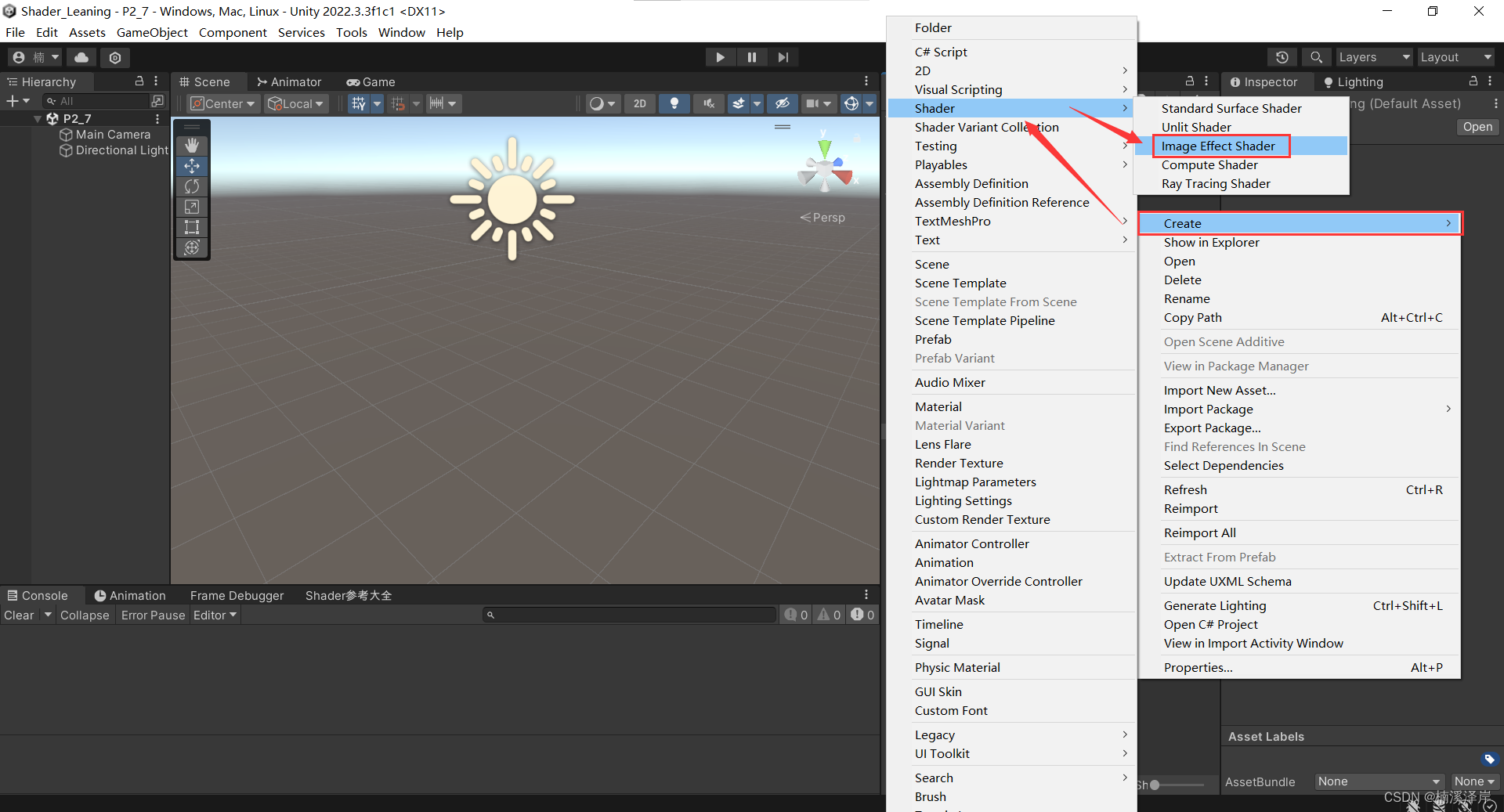
一、我们先创建一个默认的后处理Shader,用于脚本测试
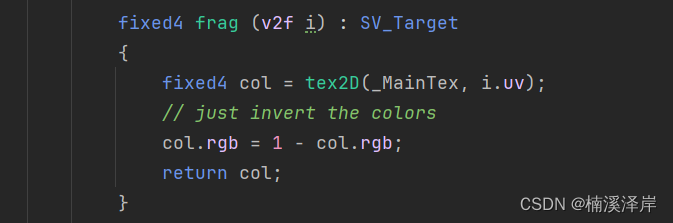
- 在该Shader的片元着色器中,我们可以看出,这个Shader主要做了一个反色处理。
二、在脚本中使用Graphics.Blit();
该语句需要在OnRenderImage生命周期函数内使用。
而该生命周期只对我们的摄像机生效
1、我们先公开一个材质,用于测试后处理效果
using System;
using System.Collections;
using System.Collections.Generic;
using UnityEngine;

//后处理脚本
public class P2_7_3 : MonoBehaviour
{
    public Material Mat;
    private void OnRenderImage(RenderTexture source, RenderTexture destination)
    {
        Graphics.Blit(source,destination,Mat);
    }
}
-
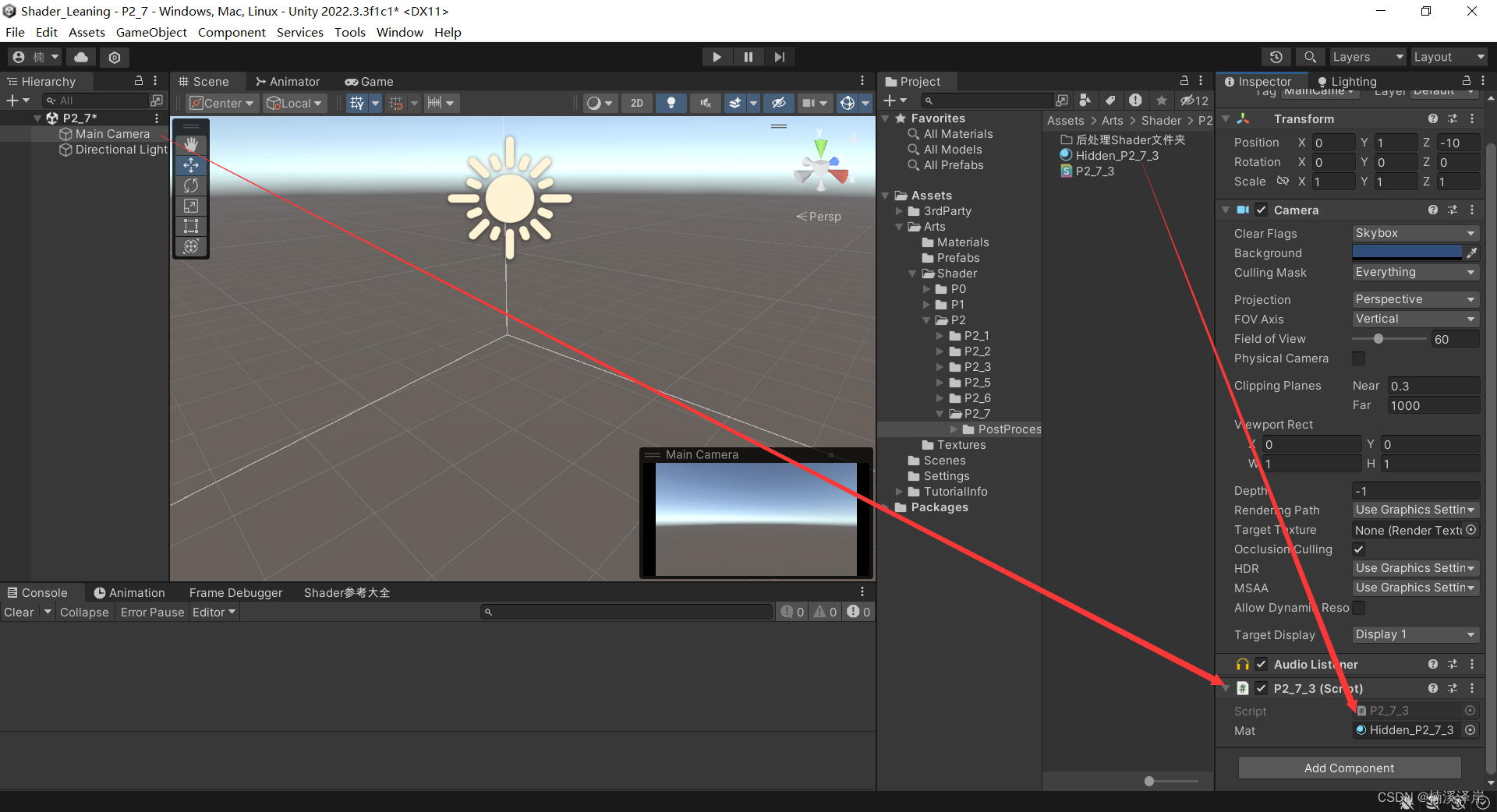
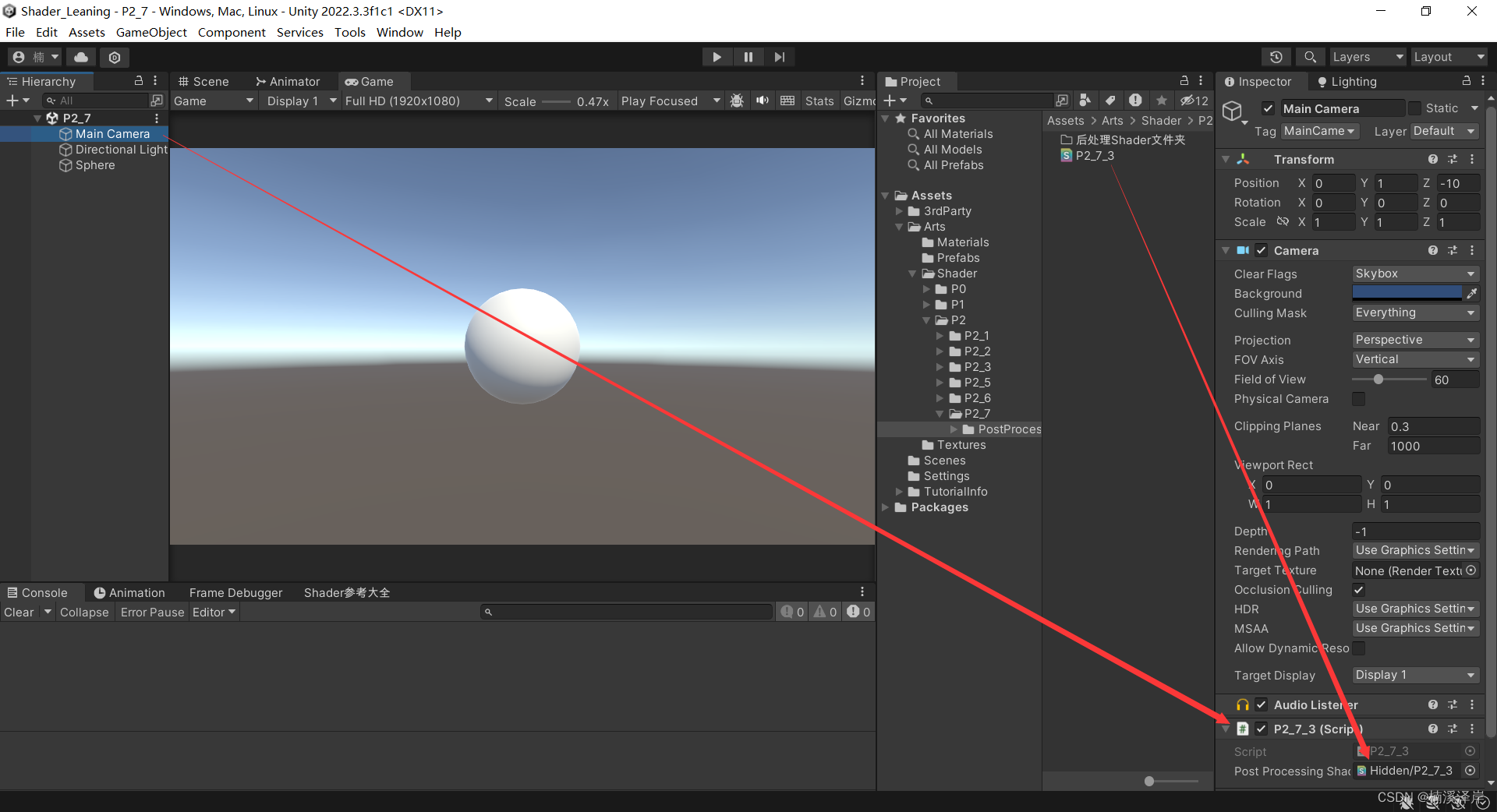
把该脚本挂载在摄像机上
-
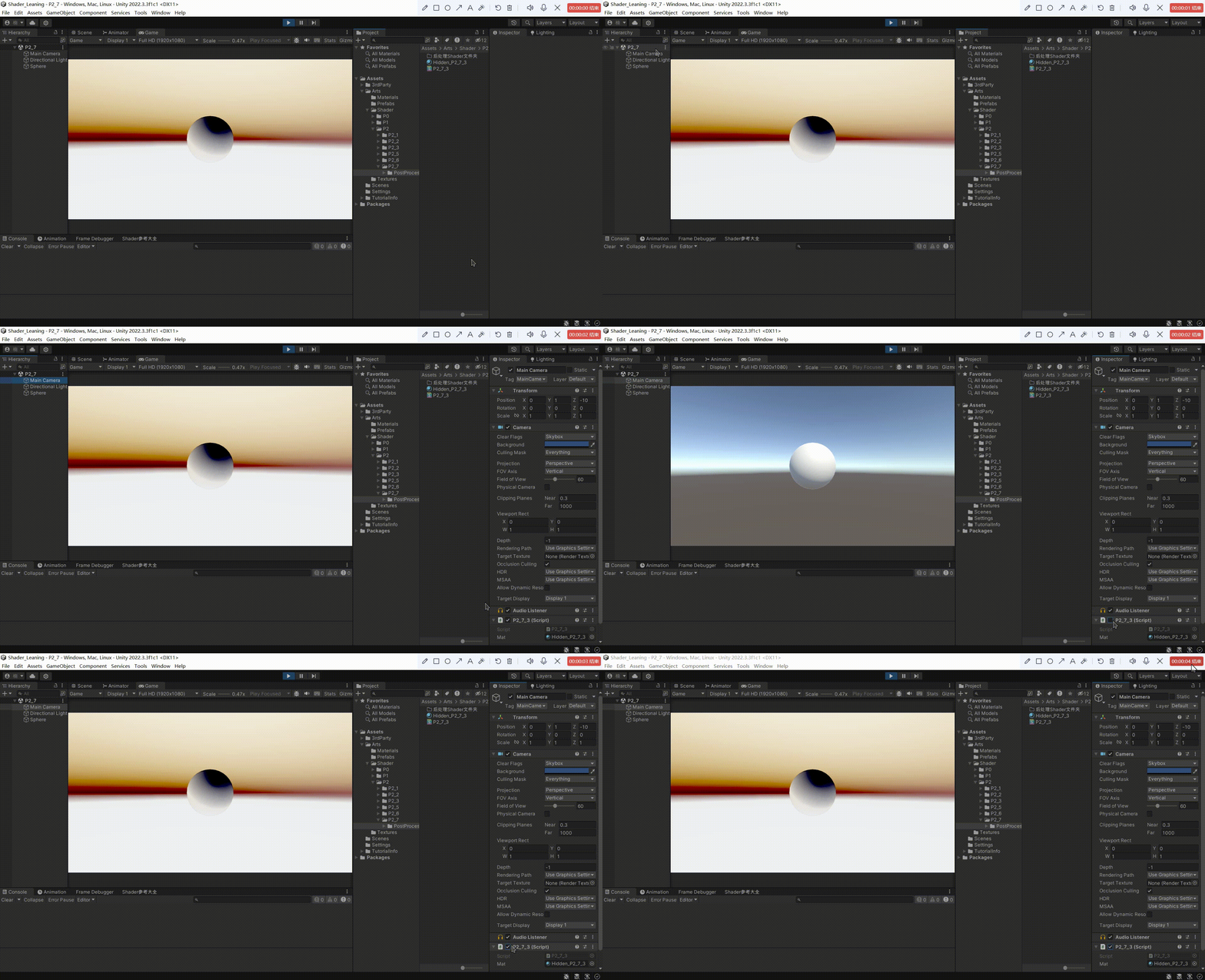
开启游戏后,我们看见我们的后处理Shader生效了
2、因为在实际开发中,我们不可能为每一个后处理Shader创建对应的材质球。所以,需要对该脚本进行修改,让脚本直接使用Shader
- 创建一个公共成员变量,用于接收Shader
public Shader PostProcessingShader;
- 创建一个成员属性,对其get方法进行修改,使其返回一个用我们Shader创建的材质
	private Material mat;

    public Material Mat
    {
        get
        {
            if (PostProcessingShader == null)
            {
                Debug.LogError("没有赋予Shader");
                return null;
            }

            if (!PostProcessingShader.isSupported)
            {
                Debug.LogError("当前Shader不支持");
                return null;
            }

            Material _newMaterial = new Material(PostProcessingShader);
            _newMaterial.hideFlags = HideFlags.HideAndDontSave;
            return _newMaterial;
        }
    }
- 把我们的脚本挂载在摄像机,把Shader赋予脚本,我们看看效果
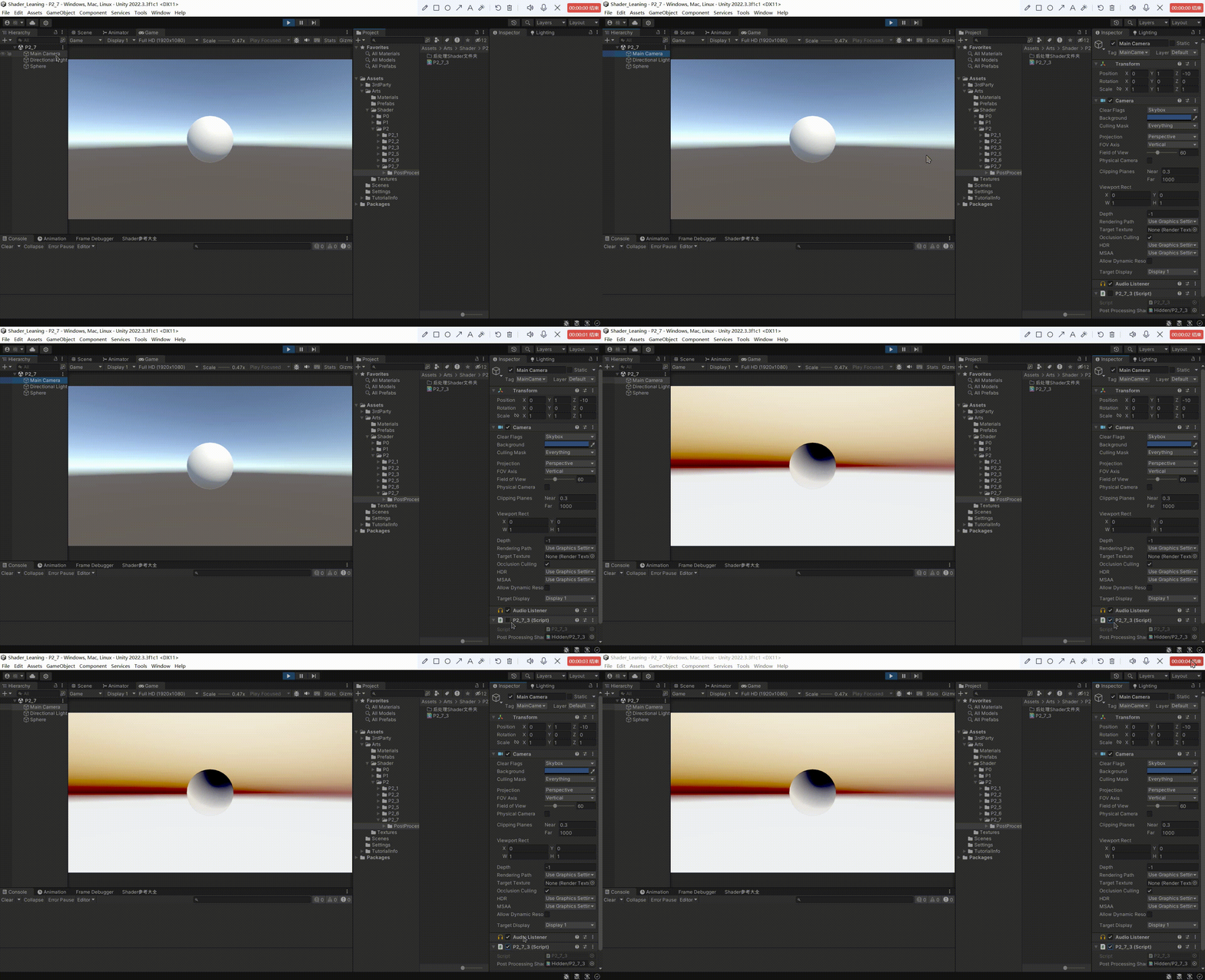
- 使用[ExecuteInEditMode]特性给我们的Mono脚本,能使我们的脚本在编辑器模式下运行。
三、后处理Shader
1、后处理Shader需要遵守的条件
因为,后处理效果处理的是摄像机前的一个面片效果。
所以,是不需要面片剔除 和 深度效果的。需要把这两个功能相关的东西关闭,防止影响处理后的效果
Cull Off
ZWrite Off
ZTest Always
2、后处理效果 几乎都是 在片元着色器中实现的
因为后处理效果几乎都是在片元着色器中实现。所以,其余部分的功能几乎都没有变化。Unity对此进行了一些优化,我们可以直接使用。
- Unity在 UnityCG.cginc 中帮我们定义了后处理中常用的 appdata 结构体

- Unity在 UnityCG.cginc 中帮我们定义了后处理中常用的 v2f 结构体

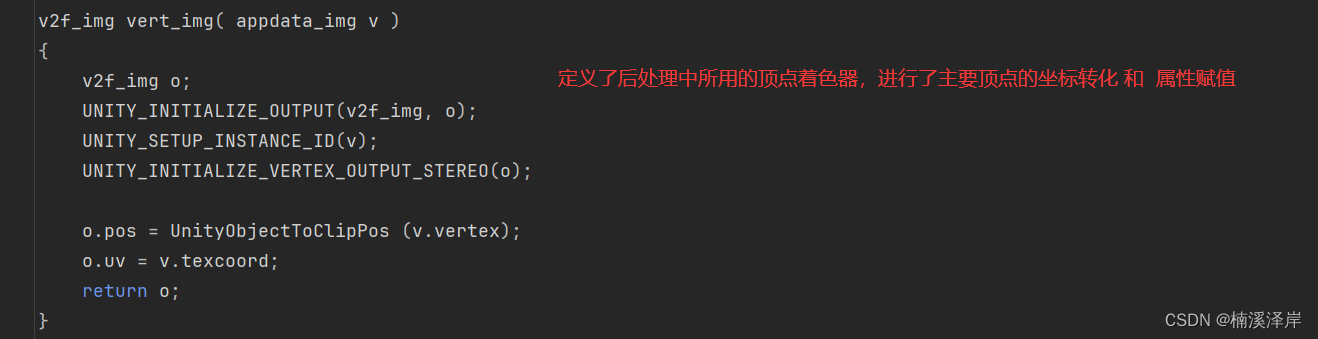
- Unity在 UnityCG.cginc 中帮我们定义了后处理中常用的 顶点着色器
3、这是简化后的 后处理Shader代码
Shader "Hidden/P2_7_4"
{
    Properties
    {
        _MainTex ("Texture", 2D) = "white" {}
    }
    SubShader
    {
        // No culling or depth
        Cull Off
        ZWrite Off
        ZTest Always

        Pass
        {
            CGPROGRAM
            #pragma vertex vert_img
            #pragma fragment frag

            #include "UnityCG.cginc"

            sampler2D _MainTex;

            fixed4 frag (v2f_img i) : SV_Target
            {
                fixed4 col = tex2D(_MainTex, i.uv);
                // just invert the colors
                col.rgb = 1 - col.rgb;
                return col;
            }
            ENDCG
        }
    }
}
三、最终测试脚本
using System;
using System.Collections;
using System.Collections.Generic;
using UnityEngine;

//后处理脚本
public class P2_7_3 : MonoBehaviour
{
    public Shader PostProcessingShader;

    private Material mat;

    public Material Mat
    {
        get
        {
            if (PostProcessingShader == null)
            {
                Debug.LogError("没有赋予Shader");
                return null;
            }

            if (!PostProcessingShader.isSupported)
            {
                Debug.LogError("当前Shader不支持");
                return null;
            }

            Material _newMaterial = new Material(PostProcessingShader);
            _newMaterial.hideFlags = HideFlags.HideAndDontSave;
            return _newMaterial;
        }
    }

    private void OnRenderImage(RenderTexture source, RenderTexture destination)
    {
        Graphics.Blit(source,destination,Mat);
    }
}
更多【c#-Unity中后处理 脚本 和 Shader】相关视频教程:www.yxfzedu.com
相关文章推荐
- 运维-短时间不点击云服务器,自动化断开连接,怎么设置长时间 - 其他
- 运维-Rocky Linux 配置邮件发送 - 其他
- 编程技术-数码管动态扫描 - 其他
- 编程技术-编程语言的基本元素 - 其他
- pandas-人工智能基础——python:Pandas与数据处理 - 其他
- 编程技术-2、鸿蒙开发工具首次运行时开发环境配置 - 其他
- 编程技术-WEB代码审计 - 其他
- 编程技术-苹果开发者证书生成实操流程 - 其他
- 运维-如何申请QQ邮箱的SMTP密钥简洁版 - 其他
- 算法-1049. 最后一块石头的重量 II - 其他
- python-根据json生成Java类 - 其他
- 运维-支撑企业数字化经营,《2023指标平台白皮书》正式发布 - 其他
- safari-新的iLeakage攻击从Apple Safari窃取电子邮件和密码 - 其他
- 网络-聊一聊 tcp/ip 在.NET故障分析的重要性 - 其他
- .net-我的MQTT操作类(M2Mqtt.Net) - 其他
- 论文阅读-Count-based exploration with neural density models论文笔记 - 其他
- 爬虫-在Kotlin中设置User-Agent以模拟搜索引擎爬虫 - 其他
- elasticsearch-搜索引擎Elasticsearch基础与实践 - 其他
- flink-flink1.18.0 macos sql-client.sh启动报错 - 其他
- .net-Ubuntu安装.Net SDK - 其他
记录自己的技术轨迹
文章规则:
1):文章标题请尽量与文章内容相符
2):严禁色情、血腥、暴力
3):严禁发布任何形式的广告贴
4):严禁发表关于中国的政治类话题
5):严格遵守中国互联网法律法规
6):有侵权,疑问可发邮件至service@yxfzedu.com
近期原创 更多
- 媒体-海外媒体发稿:彭博社发稿宣传中,5种精准营销方式
- 编辑器-广州华锐互动:VR互动实训内容编辑器助力教育创新升级
- hadoop-WPF ToggleButton 主题切换动画按钮
- python-pytorch-gpu(Anaconda3+cuda+cudnn)
- gaussdb-大数据-之LibrA数据库系统告警处理(ALM-12039 GaussDB主备数据不同步)
- hive-大数据毕业设计选题推荐-智慧消防大数据平台-Hadoop-Spark-Hive
- python-【PyTorch教程】如何使用PyTorch分布式并行模块DistributedDataParallel(DDP)进行多卡训练
- 编辑器-Linux编辑器---vim的使用
- 矩阵-软文推广中媒体矩阵的优势在哪儿
- 运维-CentOS 中启动 Jar 包